

How to Fix Poor Posture: A 2026 Guide
Table of Contents
- Why Your Posture Slips (and Why It Matters)
- Posture Correction Exercises You Can Do at Home
- How Long to Fix Rounded Shoulders (Realistic Timelines)
- Best Posture Corrector Tools for Home Use
- Ergonomic Workspace Setup for Desk Workers
- The Psychological and Long-Term Payoff of Better Alignment
- Conclusion
- Frequently Asked Questions
Last Updated: September 25, 2026
Why Your Posture Slips (and Why It Matters)
Learning how to fix poor posture starts with understanding why it drifts. Posture is the position your body holds against gravity, and it changes based on how you sit, stand, and move. At FitGlow Fitness Gear, we understand that many desk workers assume their posture is "just bad" when the real cause is hours of repetitive loading.
The Musculoskeletal Cost of a Sedentary Lifestyle
Sitting for long stretches shortens the hip flexors and chest muscles while weakening the glutes, deep neck flexors, and upper back. Over time this imbalance pulls the body into a predictable pattern: head forward, thoracic spine rounded, shoulders rolled inward.
How to Spot the Signs of Poor Posture
The clearest signs show up before pain does:
- Rounded shoulders that sit forward of the ears when viewed from the side
- A chin that juts forward instead of tucking level
- Lower back ache after 30-60 minutes of sitting
- Frequent tension headaches or a tight upper trapezius
- One shoulder sitting visibly higher than the other
A simple self-test: stand against a wall with heels, glutes, and upper back touching. If your head doesn't reach the wall without effort, your thoracic extension and neck alignment need work.
Posture Correction Exercises You Can Do at Home
Posture correction exercises strengthen the muscles that hold you upright and lengthen the ones that pull you forward. Ten to fifteen minutes a day is enough for most people, no gym required.
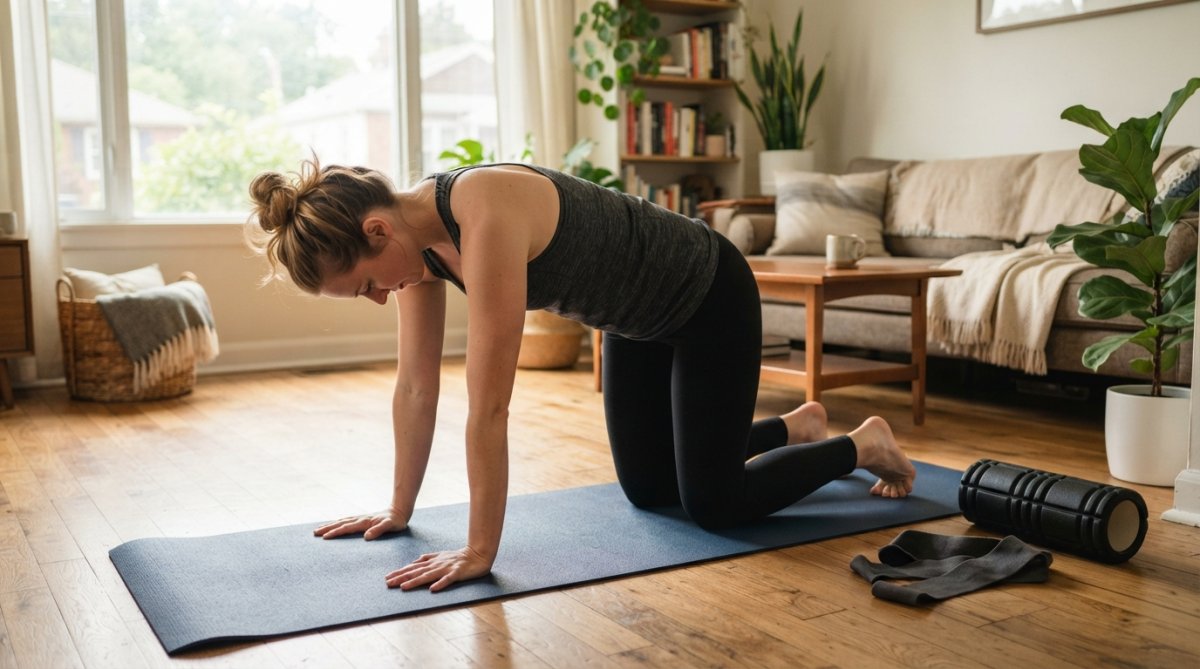
Core Stability and Scapular Retraction Moves
Core stability gives your spine a stable base; scapular retraction pulls the shoulder blades back and down. Together they reverse the slouch pattern.
- Dead bug - 8 reps per side, keeping the lower back flat
- Band pull-apart - 12 reps, squeezing the shoulder blades together
- Prone Y-T-W raises - 6 reps per letter, thumbs up
- Glute bridge - 12 reps, driving through the heels
Stretches for Back and Neck Relief
Tight tissue needs length before strength holds. Hold each stretch 30 seconds and breathe slowly.
- Cat-cow stretch for spinal mobility
- Doorway chest stretch for the pectorals
- Chin tucks for the deep neck flexors
- Thoracic extension over a foam roller for the mid-back
How Long to Fix Rounded Shoulders (Realistic Timelines)
Rounded shoulders typically improve in 6 to 12 weeks with consistent daily work, depending on how long the pattern has been set. Muscle takes weeks to adapt, not days.
| Timeline | What Changes | What You'll Feel |
|---|---|---|
| Weeks 1-2 | Awareness and mobility | Less end-of-day tightness |
| Weeks 3-6 | Strength builds in back muscles | Easier to hold tall posture |
| Weeks 7-12 | New alignment becomes default | Posture holds without thinking |
Best Posture Corrector Tools for Home Use
The best posture corrector tools support your training rather than replace it. A brace that holds you upright does nothing for muscle strength, so use tools to reinforce good habits, not to prop you up.
What to Look For Before You Buy
Focus on these criteria:
- Compact footprint for small spaces
- Durable materials that hold shape under repeated use
- Adjustable resistance so you can progress
- Comfort for daily, not occasional, use
A foam roller, a resistance band, and a massage tool cover most home needs. FitGlow Fitness Gear carries compact recovery and mobility gear designed for exactly this kind of short daily routine.
Ergonomic Workspace Setup for Desk Workers
An ergonomic workspace setup removes the daily strain that undoes your training. The goal is a neutral spine: ears over shoulders, shoulders over hips, feet flat on the floor. But 'neutral spine' is abstract, so before adjusting anything, run a quick self-check to find which part of your setup is causing the problem.
The Mirror Check: Diagnose Before You Adjust
Stand in front of a full-length mirror, or use your phone's front camera, and look at yourself from the side. Check for four common deviations:
- Forward head, the ear sits ahead of the shoulder. Fix: raise your monitor.
- Rounded shoulders, the knuckles face forward when arms hang relaxed. Fix: lower your keyboard and bring the mouse closer.
- Anterior pelvic tilt, the lower back arches hard and the belly pushes forward. Fix: raise your chair or add a footrest so hips sit at or slightly above knee level.
- Posterior pelvic tilt, the lower back flattens and the tailbone tucks under. Fix: add lumbar support and lower the seat slightly.
Monitor Height, Distance, and Angle
Monitor position is the biggest lever for forward head posture.
- Height: top of the screen at or just below eye level. If you wear progressive lenses, you may need it slightly lower so you're not tilting your chin up to read.
- Distance: roughly an arm's length away, about 20 to 30 inches. Too close and you lean in; too far and you crane forward.
- Angle: tilt the screen back 10 to 20 degrees so the top edge is slightly farther from you than the bottom. This matches your natural downward gaze.
Chair Depth, Seat Height, and Lumbar Support
Adjust these three things in this order:
- Seat height: feet flat on the floor, knees at roughly 90 degrees. If your chair won't go low enough, use a footrest.
- Chair depth: two to three fingers of space behind your knees. If the seat is too deep, slide a cushion behind your lower back.
- Lumbar support: a gentle curve filling the lower back, not a hard bulge. The support should match the natural inward curve of your lumbar spine, if it feels like it's pushing you forward, it's too aggressive.
Armrests should let your shoulders relax down, not shrug up. If they're too high, lower or remove them.
Keyboard, Mouse, and Wrist Position
The OSHA computer workstation guidance recommends elbows at roughly 90 degrees and wrists straight while typing. In practice:
- Keyboard: flat or with a slight negative tilt (back edge lower than front). Wrist rests are for resting between keystrokes, not while typing.
- Mouse: close to the keyboard, at the same height. Reaching for a mouse that's too far away is a common cause of one-sided shoulder tension.
- Wrists: neutral, not bent up, down, or sideways. If your wrists bend up to type, your keyboard is too high or too flat.
Lighting, Screen Glare, and Movement Breaks
Two things people rarely adjust but that drive slouching:
- Lighting: avoid bright windows or overhead lights directly behind or in front of your screen. Glare makes you lean in and squint, which pulls the head forward.
- Movement breaks: stand and move for 1 to 2 minutes every 30 minutes. Set a timer. The break isn't about exercise, it's about resetting the tissues before tension accumulates.
The Psychological and Long-Term Payoff of Better Alignment
Better alignment pays off beyond the physical. The psychological side is the part most posture guides skip, and it's often why people stick with the habit once initial motivation fades.
How Posture Feeds Back Into Mood and Confidence
Posture isn't just an output of how you feel, it's an input. Muscles, joints, and the vestibular system send constant signals to the brain about your body's position, influencing how alert, calm, or tense you feel. When the chest is collapsed and the head is forward, breathing becomes shallower and the nervous system reads that as a low-grade stress signal.
A 30-Day Habit-Building Framework
Most guides hand you a list of exercises and stop there. The real problem is consistency, so here's a framework that turns posture work into a default rather than a project.
Long-Term Maintenance: What to Keep, What to Drop
Once the pattern improves, you don't need the full routine forever. Keep three things:
- Two short sessions per week, 10 minutes each, focused on your weakest area. This is the minimum to hold gains.
- Your workspace setup, recheck monitor height and chair depth every few months, especially if you change desks or chairs.
- One daily awareness cue, a single reminder to check in with your alignment. This is what prevents the slow drift back.
Conclusion
The challenge with posture is that it slips quietly, and by the time it hurts, the pattern is set. FitGlow Fitness Gear offers the compact mobility and recovery gear, from resistance bands to foam rollers, that makes a 10-minute daily routine easy to sustain at home. Shop All and build the habit that keeps you moving well for years.
Frequently Asked Questions
Can you correct years of bad posture?
Yes, but it takes consistent effort. Years of slouching and rounded shoulders create muscle imbalances that don't reverse overnight. A 2026 approach combines daily posture correction exercises, ergonomic workspace setup, and body awareness practice. Most people see meaningful change in 6-12 weeks when they train consistently. The key is treating posture like fitness: small daily reps beat occasional intense sessions. Start with 10-15 minutes of targeted mobility work and build from there.
What are four signs of poor posture?
Watch for these four signals: rounded shoulders that roll forward past your ears when viewed from the side, a forward head position where your chin juts ahead of your shoulders, an increased curve in your upper back (kyphosis), and lower back pain or tension after sitting. You might also notice your head drifting forward when you look at your phone. A quick wall test helps: stand with your back against a wall and see if your head, upper back, and heels all touch comfortably.
Does lying flat on the floor help posture?
Lying flat on the floor for 5-10 minutes can give your spine a reset and reduce compression from sitting. It's not a fix on its own, but it's a useful daily habit. Pair it with constructive rest: lie on your back with knees bent, feet flat, and arms relaxed. This position lets your vertebral column decompress and helps you feel your neutral spine. Do it once or twice a day, especially after long desk sessions.
What equipment helps with posture correction?
The best posture corrector tools include resistance bands for scapular retraction, foam rollers for thoracic extension, and a quality yoga mat for floor exercises. A lumbar support cushion helps during desk work. For home use, look for compact tools that fit your space and daily routine. FitGlow Fitness Gear offers premium options designed for small apartments and busy schedules. Check their website for current product availability and pricing.
Posture correction isn't about standing rigidly straight; it's about building the strength and awareness to hold good alignment without thinking. FitGlow Fitness Gear supplies the home-friendly tools, including mobility equipment and recovery essentials, that fit a busy schedule and a small space. Get started with FitGlow Fitness Gear and make better alignment your default.